
The App
What it looks like inside
Real screens from the app on Fire TV and Google TV, and how it's all driven with the remote.
Current version: v0.5
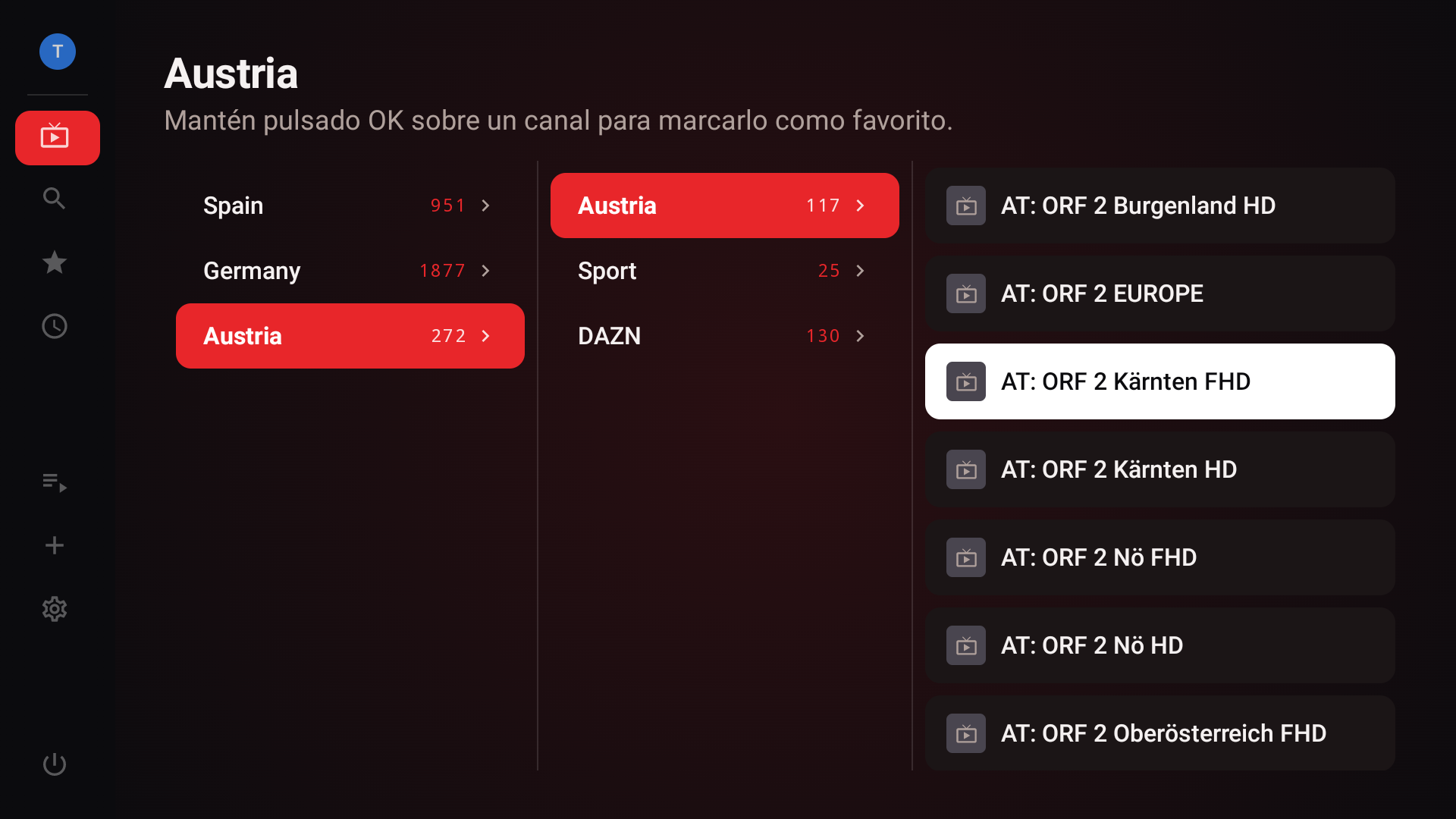
Main menu
The rail on the left reaches My channels, Favorites, Search, EPG, My lists and Settings, without ever leaving this screen.
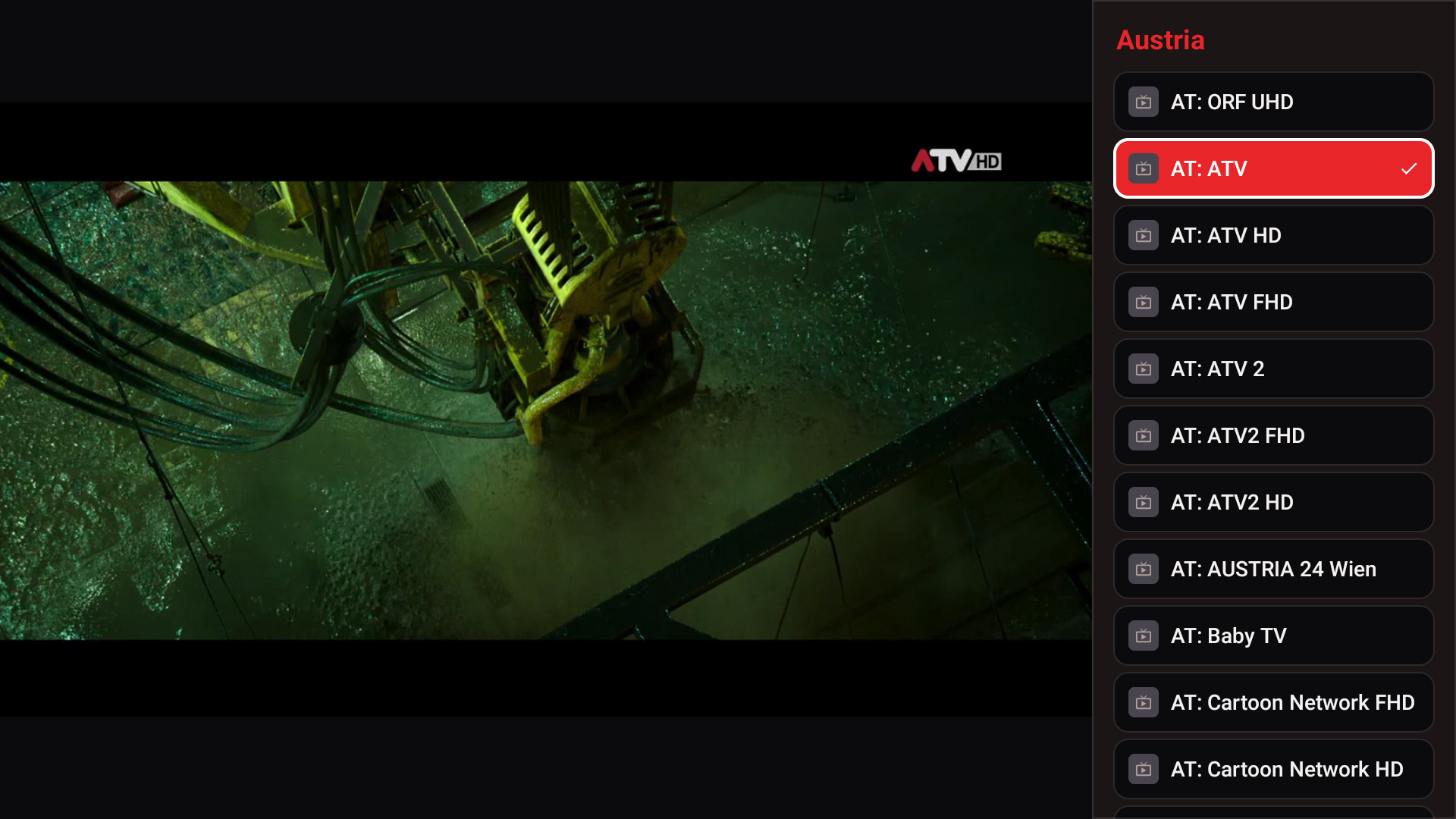
Channel picker
Opens over the live video, which keeps playing while you choose a channel.
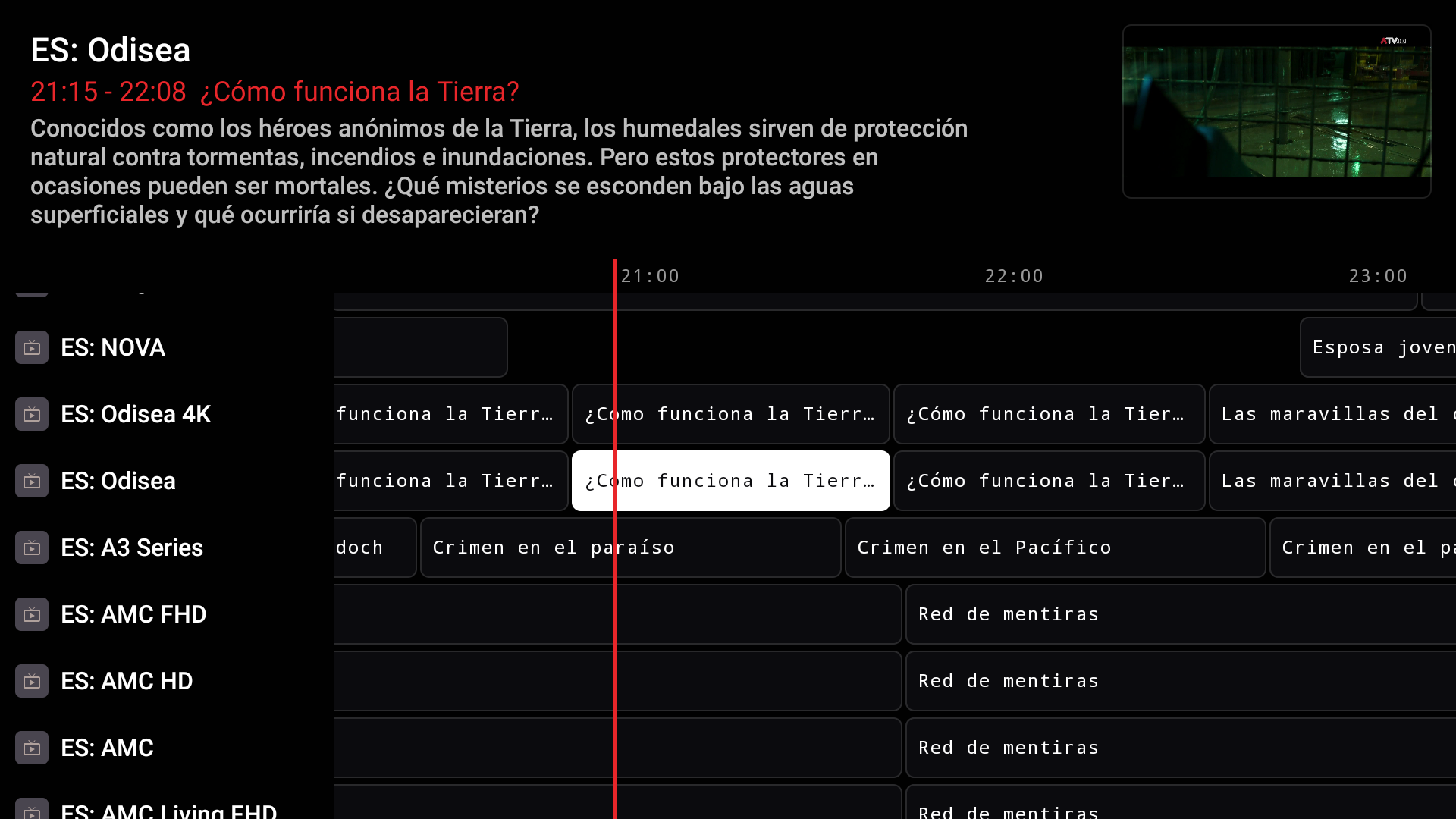
EPG guide
A schedule grid for every channel, with the video shown small in the top-right corner.
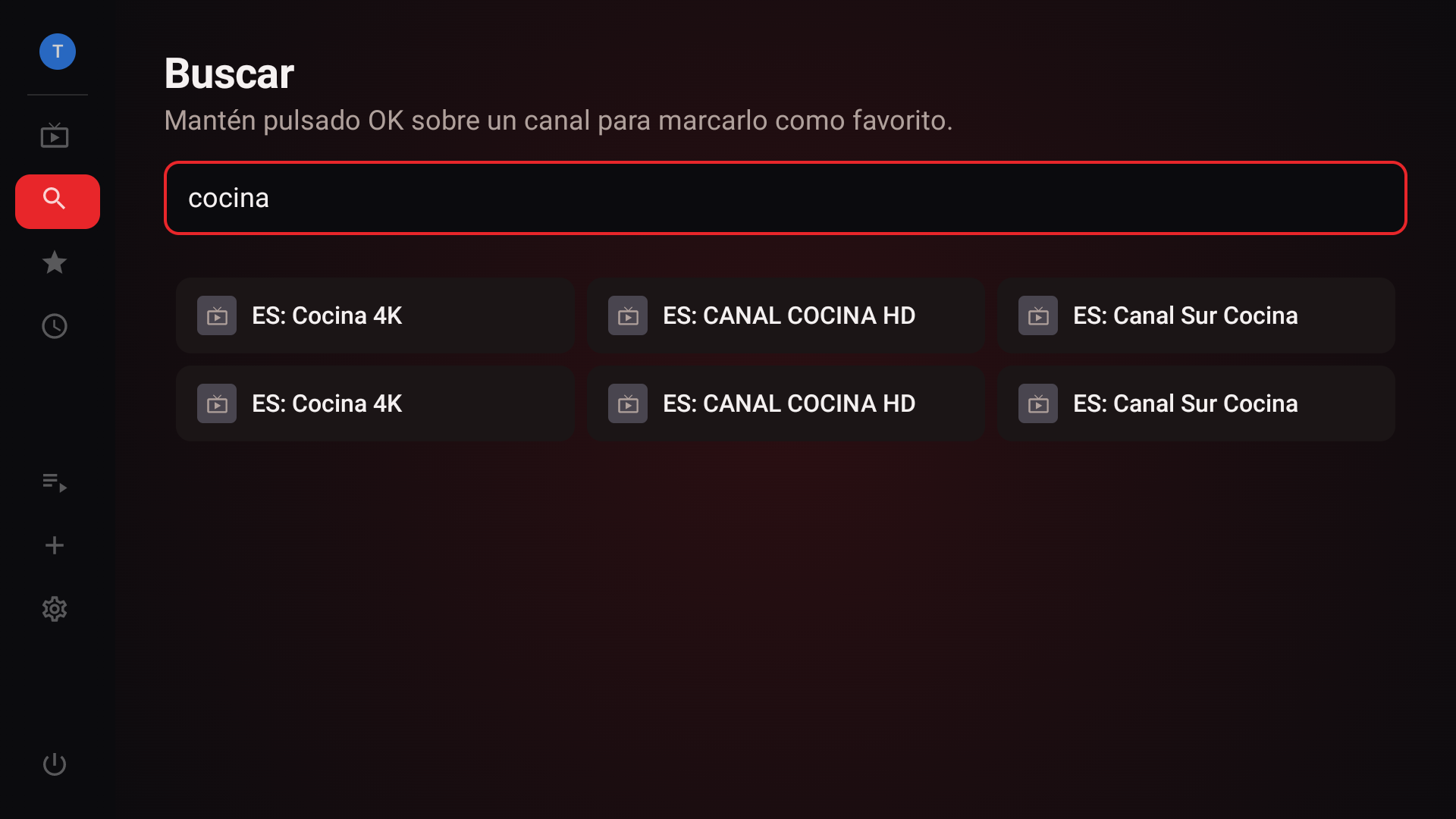
Search
Filters by name across every channel in every loaded list, in real time.
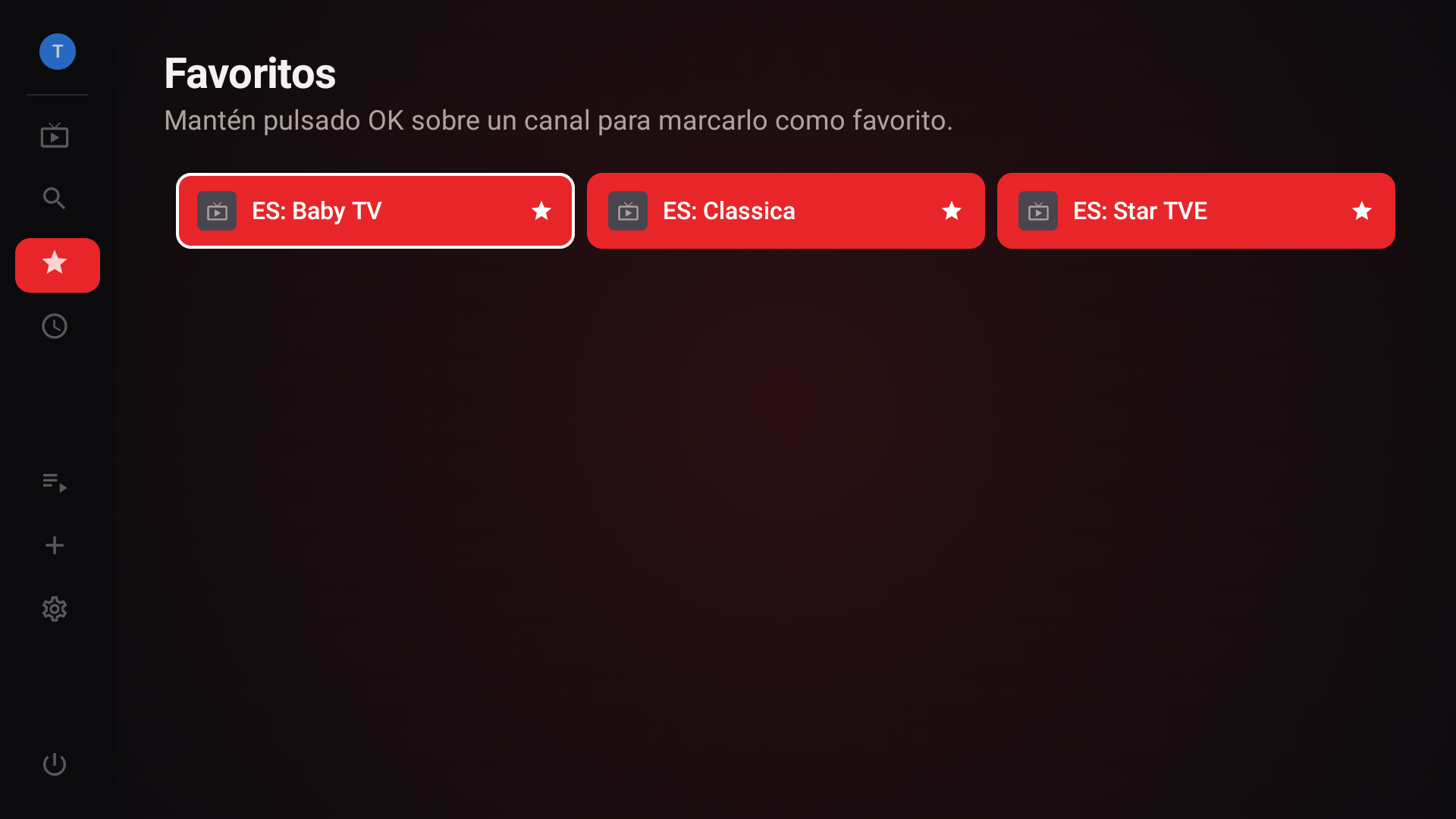
Favorites
Direct access to your marked channels, regardless of which list they came from.
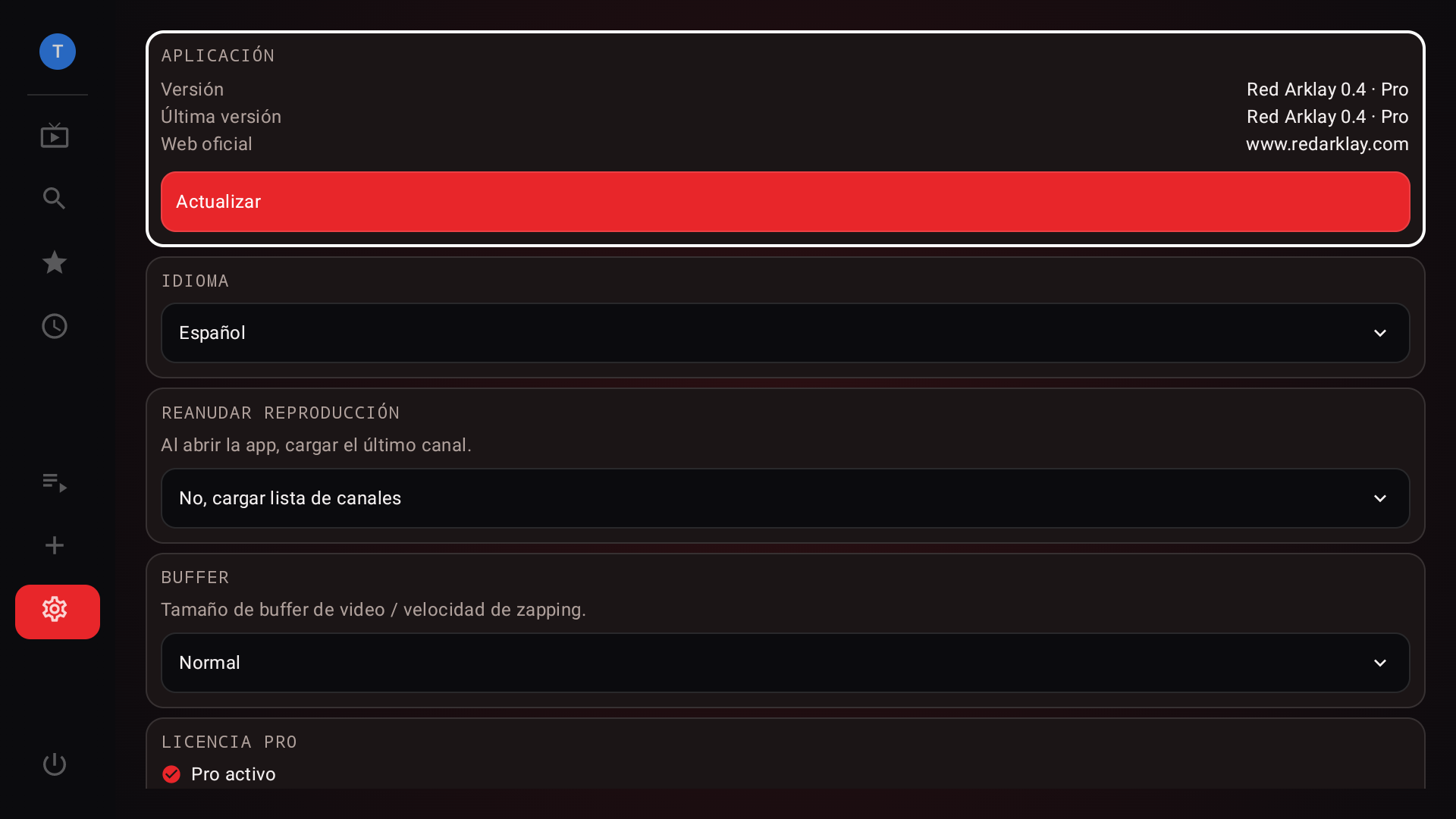
Settings
App info, language, Pro license and buffer profiles, all in one place.
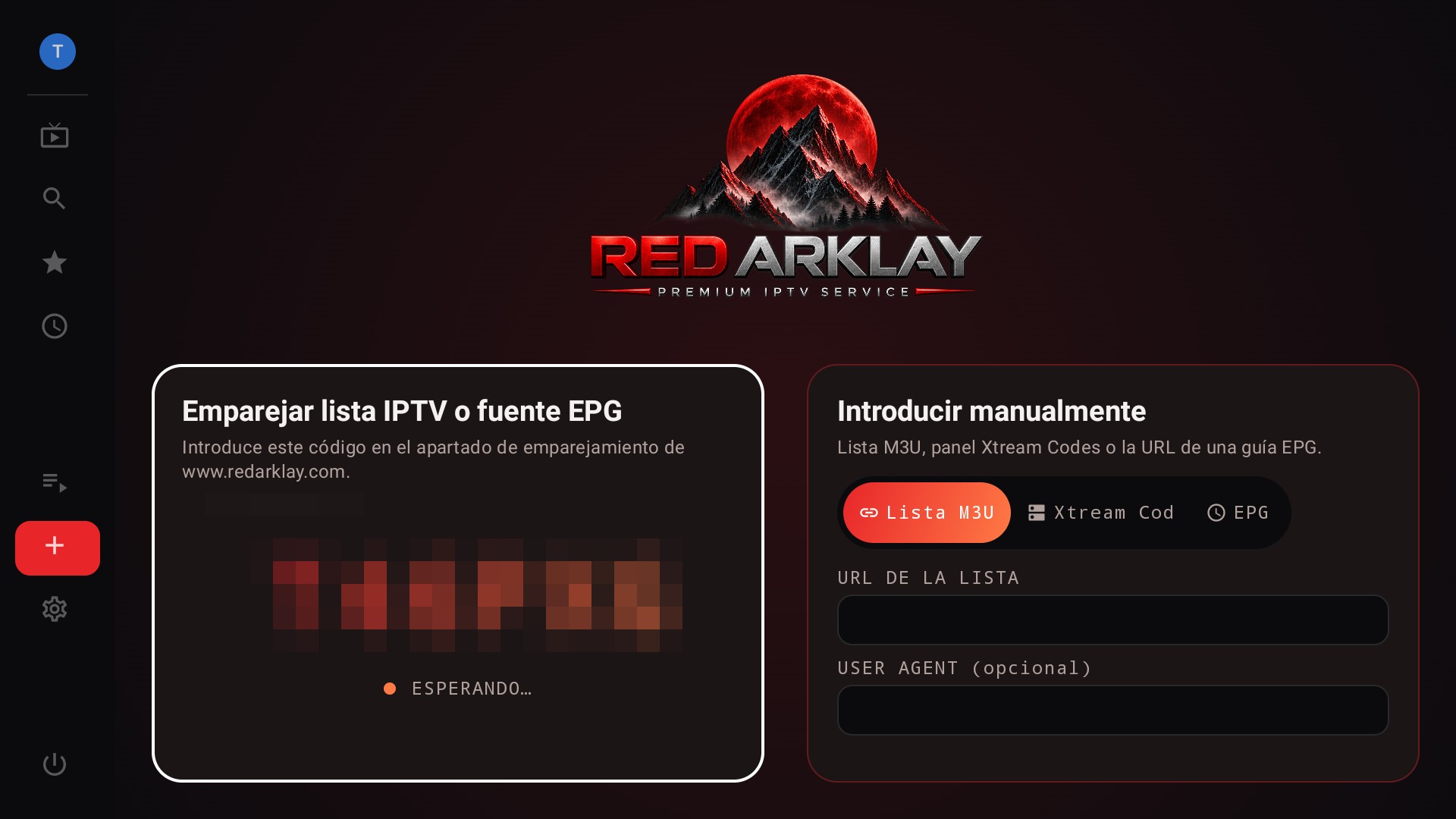
Pair by code
Send lists and the EPG guide from your phone or computer, without typing anything with the remote.
The remote
Six keys control the whole app
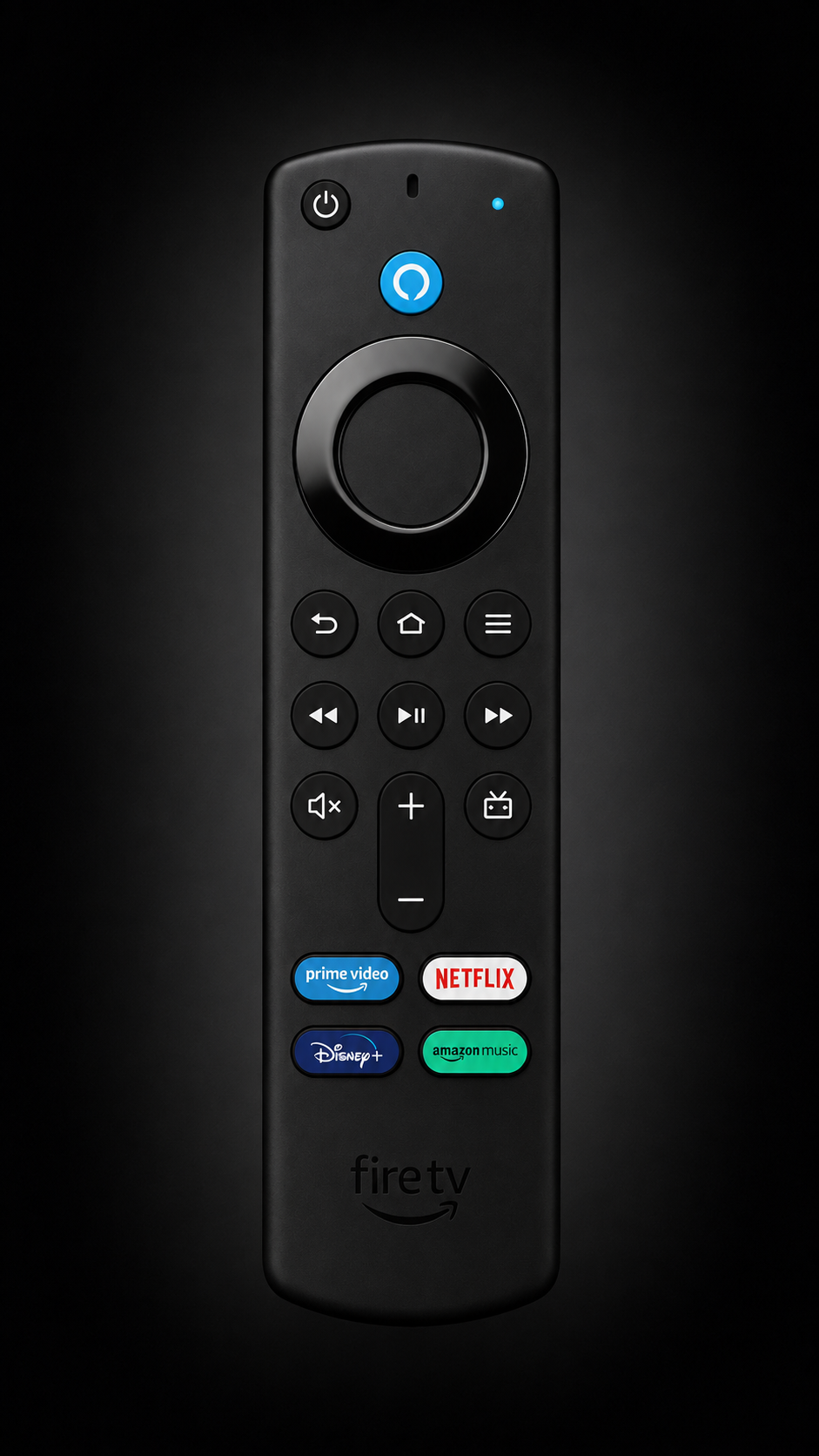
Red Arklay is controlled entirely with the remote's D-pad, no extra menus.
Left arrow
With the picker open, goes back one level at a time until reaching List. How many levels there are depends on how your own list is organized.
Right arrow
Moves forward one level in the picker: does the same as OK on the highlighted row.
Down arrow
Opens the EPG guide over the video: a grid with every channel's schedule, with the video shown small in the top-right corner.
OK
Short press: opens the channel picker over the video.
Held for a second: reloads the channel instantly, without going through the picker.
Back
Closes the picker or settings outright, no matter what level you're on. Never needs pressing more than once.
Up ↑
Opens Settings: picture, audio, buffer profile and connection info for the channel you're watching.
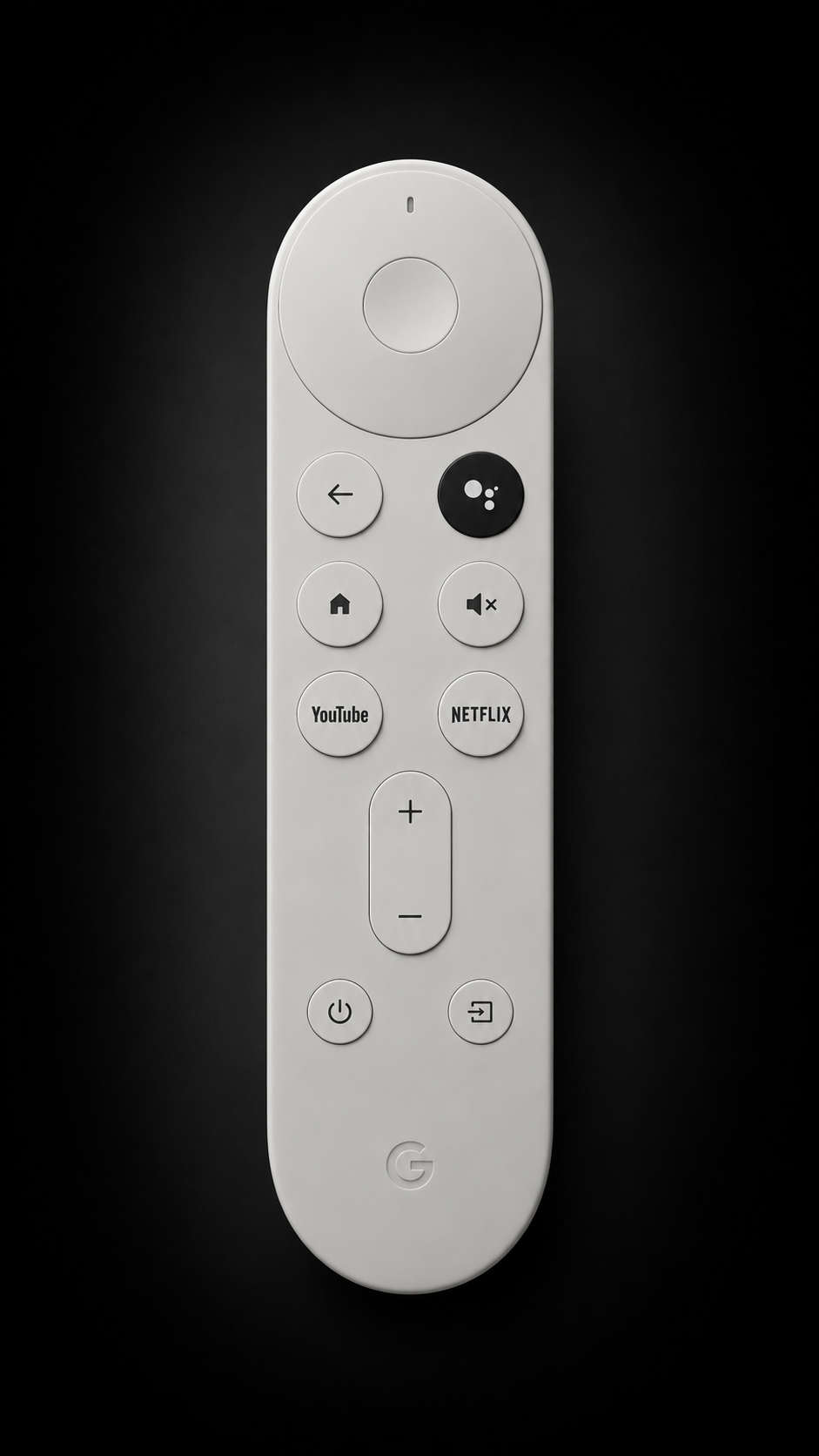
Left arrow
With the picker open, goes back one level at a time until reaching List. How many levels there are depends on how your own list is organized.
Right arrow
Moves forward one level in the picker: does the same as OK on the highlighted row.
Down arrow
Opens the EPG guide over the video: a grid with every channel's schedule, with the video shown small in the top-right corner.
OK / Center
Short press: opens the channel picker over the video.
Held for a second: reloads the channel instantly.
Back
Closes the picker or settings outright, no matter what level you're on. It's the dedicated arrow below the center disc, not the D-pad's left arrow.
Up ↑
Opens Settings: picture, audio, buffer profile and connection info for the channel you're watching.
Changelog
What's new
What changes in each version.
Version 0.5 Current
- Fixed: the channel search no longer closes after every letter, now you can type the whole word without interruptions
- My lists: Xtream accounts now show days/hours remaining, percentage, creation/expiry dates and active/max connections
- Clear message when trying to add a second list or an EPG source without a Pro license, instead of getting stuck with no explanation
- Fixed the app icon: the text no longer gets cropped in the app row
- Settings: info text size now matches the rest of the screen
Version 0.4
- Redesigned main menu: more modern and compact, expands on focus and collapses to icons only
- Redesigned Settings with clearer cards and dropdown pickers for language, buffer time and resume playback
- Fixed: the channel menu now updates correctly after switching channels from the player's live picker
- Fixed: browsing position in the channel menu no longer resets from background list refreshes
- First steps toward English and German, now visible in Settings (coming soon)
Version 0.3
- Built-in app updates: downloads and installs itself without leaving Settings
- New EPG guide grid with hourly time slots, navigable with the remote
- The EPG guide now loads instantly by reusing data already downloaded on the device
- Longer programme synopses in the guide
- Several stability fixes in the guide and player
Version 0.2
- Real-time channel guide (EPG), built into the player
- EPG guide pairing from the web, same as lists
- "Now" and "next" info in the picker and in the channel-switch banner
- Channel logos
- On-screen technical info: video codec, audio codec and resolution
- New general Settings screen: app info, language, Pro license and buffer
- App update check from Settings
- Smoother channel menu when returning from the player
Version 0.1
- Playback of M3U lists and Xtream Codes credentials
- List pairing from the web via a device code
- Live channel picker without interrupting playback
- Favorites and search by name
- Automatic reconnection on connection drops
- Configurable buffer profiles
- Pro license via redeemable code